Misina Lab

A framework for building procedural scene generators for agricultural robotics simulation. You write a generator's parameters and build code in Rust, and Misina Lab makes the rest from them: a live parameter editor, a Python package, and an Isaac Lab spawner that brings the scene in as USD.
Warning
Developer preview. Expect breaking changes.
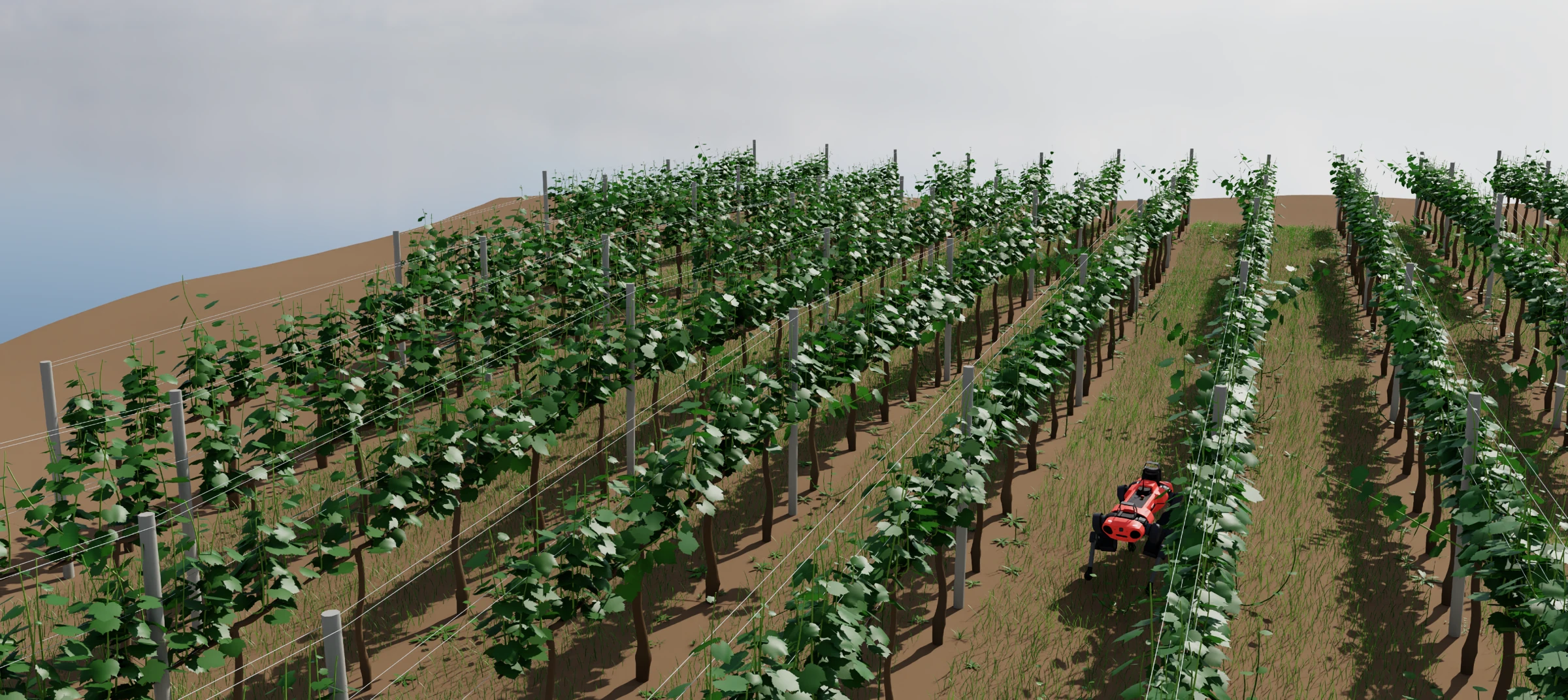 A vineyard built on Misina Lab, in Isaac Lab
It ships with two reference generators, a vineyard and a tomato greenhouse, to try it on and to start from. If you need help, or would like to work together on a generator of your own, get in touch.
🌐 Try them in your browser, the vineyard or the greenhouse: a bit slower, and they need WebGPU.
📚 The docs are at azazdeaz.github.io/misina-lab.
Contents: Features · How it works · Build a generator · Reference generators · Try it · Roadmap · Support · Development · License
Features
Every generator built on Misina Lab gets:
- 🎛️ A live parameter editor. Every parameter is a slider with a tooltip, and the scene rebuilds as you drag.
- 🤖 Isaac Lab in one paste. Copy Isaac Lab cfg puts the editor's settings on the clipboard. Pasted into a scene config, the scene generates on first use, is cached as USD and spawns like any USD file.
- 🐍 A Python package. Typed params classes, a headless
write_usd(), and a parameters page with every default and range. - 🎲 Reproducible. The same seed gives the same scene, and nudging one part never re-rolls another.
- 🏷️ Every part addressable. Every part is a named prim, down to a single leaf or fruit, and carries its ground truth, such as ripeness.
- ⚡ Built to scale. Level of detail and the number of mesh variants trade fidelity for frame rate.
- ✂️ Bendable, cuttable parts. Flexible parts bend under Newton's VBD solver and can be cut anywhere while the simulation runs.
How it works
flowchart LR
    params["Parameters"] --> build["Scene build<br/>Rust and Bevy"]
    build --> viewer["Viewer<br/>live preview"]
    build --> doc["Scene document<br/>JSON"]
    doc --> usd["USD stage"]
usd --> isaac["Isaac Lab"]- A generator declares its parameters as plain Rust structs and builds its scene in Bevy as ordinary meshes and transforms.
- The viewer draws that scene as it is built, so a slider answers at once.
- For simulation, the scene leaves Rust as a plain JSON document, and Python turns it into a USD stage.
- In Isaac Lab, the generator's cfg class does this on first use, caches the USD, and spawns it as an ordinary USD asset.
Build a generator
A generator is one Rust crate: its parameters as plain structs, and one build system per kind of thing in the scene. Everything else is made from those declarations.
flowchart LR
    subgraph you ["You write"]
        direction LR
        params["Params structs"]
        systems["Build systems"]
    end
    subgraph misina ["Misina Lab makes"]
        direction LR
        panel["Viewer and panel"]
        python["Python classes and stubs"]
        cfg["Isaac Lab cfg and spawner"]
        page["Parameters page"]
        usd["USD export"]
    end
you --> misina- The framework's README builds the smallest generator, a row of boxes, end to end, and indexes the framework's docs.
- A generator in its own repository sets one up outside this one.
- The reference generators are the full-size ones to start from.
Reference generators
Both are built on Misina Lab. Each is a Python package of its own, and a starting point for a new generator.
- Vinery Lab: vineyards
- Greenhouse Lab: tomato greenhouses
Vinery Lab
Vineyards for developing and testing vineyard robots: trellised rows on rolling terrain, down to every leaf.
- 🍃 Leaves as detailed meshes, for depth-based perception
- 🌿 Stray shoots that bend as a robot pushes through, and cut anywhere
- ❄️ A dormant mode: bare canes with a bud at every node, every one cuttable
- 🌾 Cover crops in the alleys, and weeds under the vines whose long stems can bend
README ·
Parameters ·
Playground ·
pip install vinery-lab
Examples
| Example | What it shows |
|---|---|
| Quadruped | An ANYmal-C walks every alley, down one and back up the next. |
| Straddler | A portal robot drives every row with the trellis passing under its frame. --trim hedges the stray shoots. |
| Pruning | A Bumblebee-like arm on a UGV cuts every cane of a dormant row back to two buds. |
Each is a uv project of its own: cd into it and uv run main.py. They build
the generator from this checkout, so they need
Rust and hardware that runs
Isaac Sim 6.2.
Greenhouse Lab
The rows of a high-wire tomato greenhouse, grown to any week of the season.
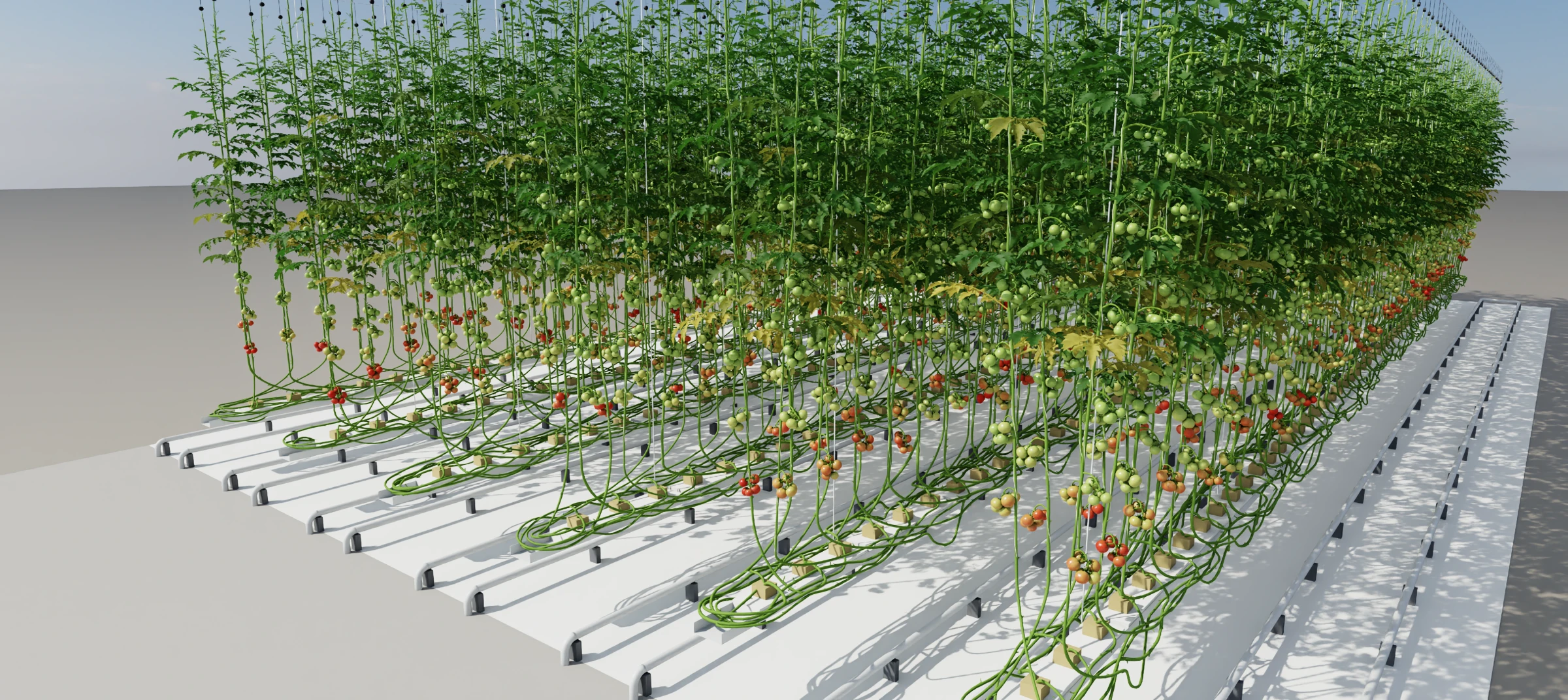
- 🍅 Every fruit its own prim, with its stage from bud and flower to ripe
- 🦾 A
Cutand aBendframe on every truss, where a gripper takes it - 📅 The crop's age in weeks, from young plants on their twines to meters of lowered stem
- 🛤️ Heating-pipe rails in every path, uneven up to and past the 2° spec
README ·
Parameters ·
Playground ·
pip install greenhouse-lab
Examples
| Example | What it shows |
|---|---|
| Greenhouse | A pipe-rail robot with a UR5e on its lift cuts every due truss in the harvest band of each path, which drops to the floor. |
| BUTom capture | A trolley laid out like PATHoBot films RGB-D sequences of the crop with BUTom-ST21's calibrated cameras, written in that dataset's layout. |
Try it
In the browser. Each generator's viewer runs at azazdeaz.github.io/misina-lab/playground/vinery and azazdeaz.github.io/misina-lab/playground/greenhouse.
From Python.
pip install vinery-lab        # the vineyard
pip install greenhouse-lab    # the greenhouse
Wheels are built for Linux x86_64 and Python 3.12 and later; anywhere else pip builds from source, which needs Rust.
From a checkout, with Rust installed, either reference generator opens in the viewer:
cargo run --release                     # the vineyard
cargo run --release -p greenhouse-lab   # the greenhouse
Move a slider and the scene rebuilds what it touches. Copy Isaac Lab cfg puts the settings on the clipboard, ready to paste into an Isaac Lab scene config.
Roadmap
Upcoming
- Optionally use PointInstancer to spawn organs without a unique prim path
- Simulate human workers and other safety critical scenarios
Planned
- RTK-GNSS data generation
- GeoJSON and TASKDATA.xml export
- Complete example projects demonstrating task executions
- Share what you need for your project 🚀
Each reference generator's README has its own roadmap.
Support
If you need help with Misina Lab, or would like to work together on a generator for your own crop, layout or equipment, feel free to reach out to @azazdeaz. General questions and suggestions are just as welcome.
Development
- AGENTS.md: the repo map
- DEVELOPMENT.md: building, the checks, releasing, the docs site
- CHANGELOG.md: what each release changed
License
Licensed under either of Apache License, Version 2.0 or MIT License, at your option.